On-call paging for DevOps & SRE teams

The right engineer gets the page. Everyone else sleeps.

Pingrota turns alerts from Alertmanager, Coralogix and your webhooks into incidents, pages whoever is on call, and escalates until someone answers: push, SMS, Slack, or a phone call that you acknowledge by pressing 1.

Get started See how it works Starter is free up to 20 incidents a month, with every feature and unlimited users. Pass it and Pingrota upgrades automatically, so paging never stops.
Works with Prometheus AlertmanagerCoralogixSigned webhooksEmailSlackWhatsAppiOS & Android pushTwilio SMS & voice
Built for the 3 a.m. page

Everything on-call needs. Nothing it doesn't.

One calm place for alerts, rotations, escalation and the incident itself, without the enterprise sprawl.

Rotations that stay fair

Daily, weekly or custom shifts with overrides. Time off is covered automatically, and members who observe the Sabbath are scheduled around it while everyone keeps an equal share.

Escalation that never drops a page

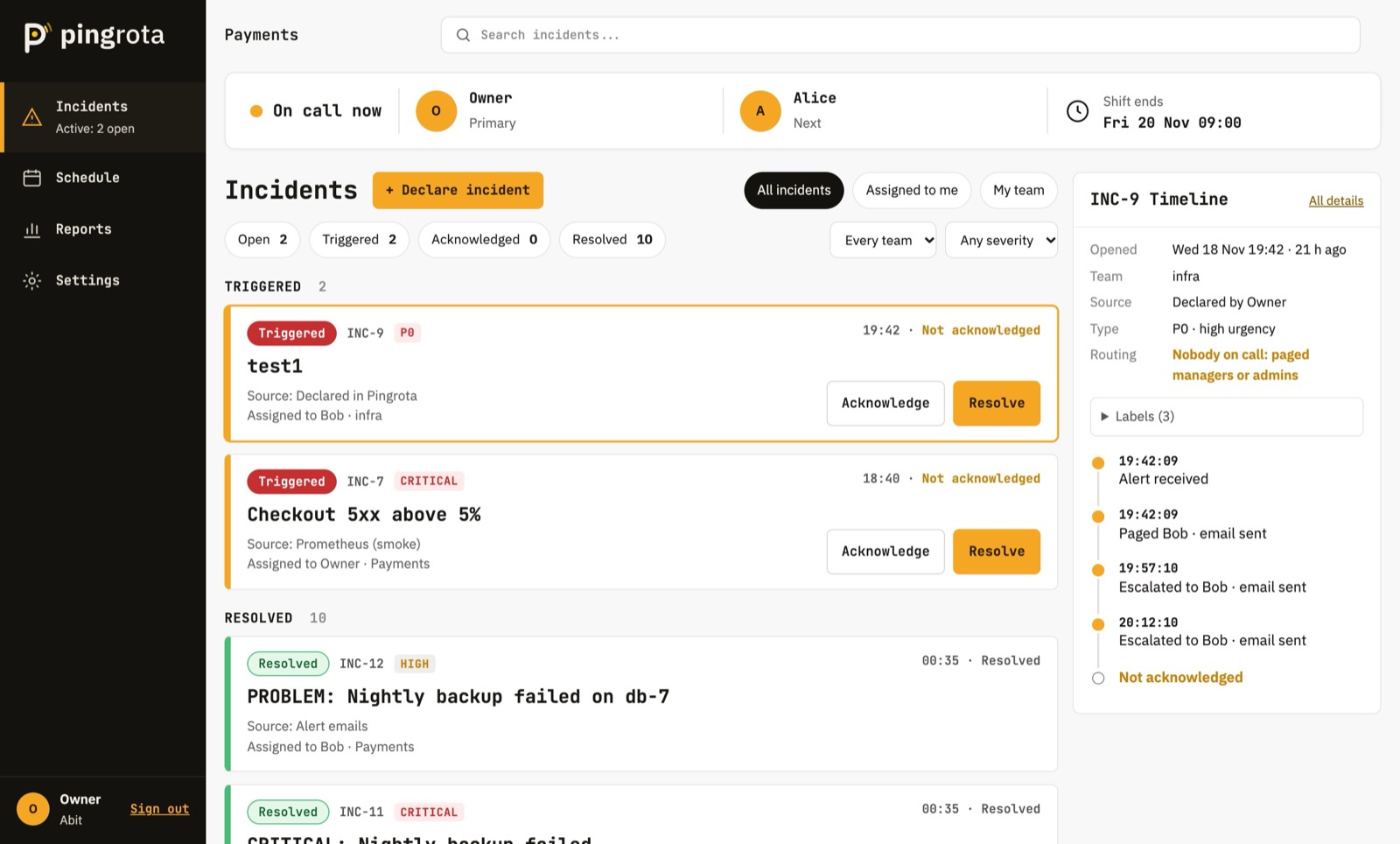
No acknowledgement in 15 minutes? It moves to the next step, then the whole team. Every page, retry and delivery is on the timeline.

Paged your way

Email, push and WhatsApp are included. Add SMS and press-1 phone calls with your own Twilio account. Each engineer sets their own steps, like "push now, call after 2 minutes".

Less noise

Repeats fold into one incident. Maintenance windows and suppression rules keep planned work and known flappers from waking anyone.

Work the incident together

Acknowledge from anywhere, reassign, pull in responders, and keep notes on one timeline, with the raw alert payload a click away.

Learn from every page

Time to acknowledge and resolve, night pages per person, the noisiest alerts, postmortems, and a public status page for your customers.

Schedules

Know who's on call. Always.

Pick a rotation, add the team, and Pingrota does the rest, including the awkward parts.

  • Overrides and swaps in two clicks, back to the rotation when they end.
  • Time off is covered by a teammate who is actually available.
  • Handoffs page the incoming engineer about anything still open.
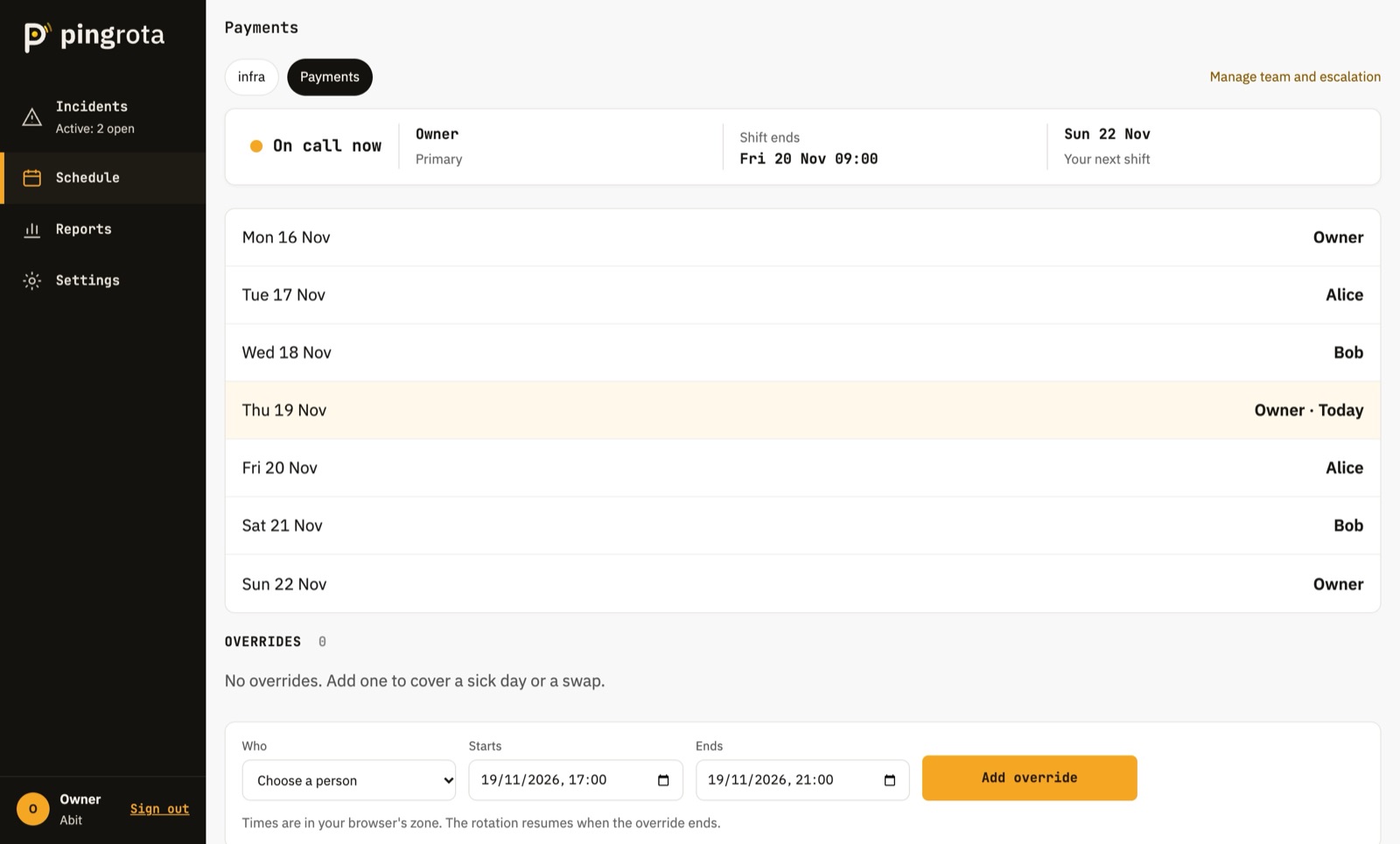
The Pingrota schedule: who is on call now, when the shift ends, and the week's rotation
Notification rules

Wake up the way you choose.

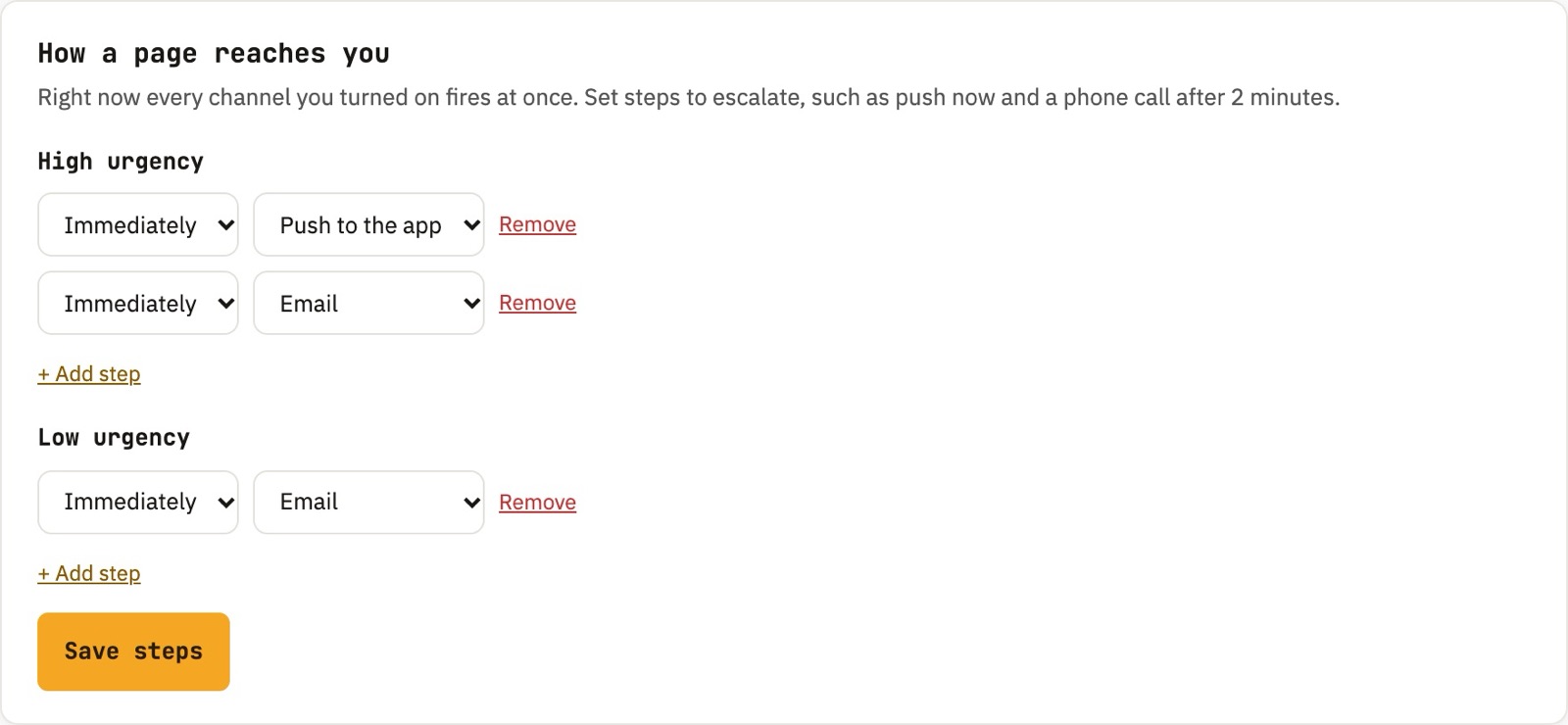
Every engineer sets their own escalation, separately for high and low urgency.

  • Phone calls with press-1 acknowledge, so you never fumble for a laptop.
  • Later steps are skipped the moment someone acknowledges.
  • Verified numbers only. Pages never go to a typo.
Notification rules: steps per urgency with delays and channels
How it works

Live in about ten minutes.

Connect your alerts

Point Alertmanager's webhook_configs or a Coralogix webhook at your source URL. Or forward an email, or sign your own JSON.

Set the rotation

Create a team, choose daily or weekly shifts, and invite people by email. Escalation is ready out of the box.

Get paged, acknowledge, resolve

The on-call engineer gets the page and acknowledges in one tap. When the alert clears, the incident resolves itself.

Pricing

Flat prices. Your whole team included.

No per-seat math. Every plan has every feature; you only pick how many incidents a month you expect.

Starter

$0

Up to 20 incidents a month

  • Unlimited users and teams
  • Rotations, escalation and Slack
  • Email, push and WhatsApp pages included
  • SMS and calls with your own Twilio
  • Upgrades automatically when you need it
Get started

Unlimited

$99/month

Unlimited incidents

  • Everything in Team
  • No caps, no overage, ever
  • For busy platforms and many services
  • Cancel any time
Get started

An incident is one problem, however many times its alert fires. Pass your plan's limit and Pingrota moves you to the next plan automatically, so paging never stops. Email, push and WhatsApp pages are included; SMS and phone calls use your own Twilio account.

FAQ

Questions on-call people ask.

Is Pingrota a PagerDuty alternative?

Yes, for teams that want the core done well: alert ingest, rotations, escalation, multi-channel paging, Slack and incident timelines, at a flat price for the whole team instead of per seat.

Which alert sources does it support?

Prometheus Alertmanager (native webhook), Coralogix, email-to-incident, and any system that can POST signed JSON. Repeats of the same alert join one incident, and a resolve from the source closes it.

How does phone-call paging work?

Connect your own Twilio account in Settings, and Pingrota calls the verified number of the person on call through it and reads the incident. Press 1 to acknowledge. If nobody does, escalation continues to the next step. You pay Twilio directly, at their rates; email, push and WhatsApp pages are included in every plan.

What counts as an incident?

One problem, from the first alert until it resolves. Repeats of the same alert join the open incident, so a flapping alert or an alert storm counts once. Pages, escalations and users are never counted.

Is there a mobile app?

Yes. The iOS and Android app is in beta. It receives urgent push notifications that break through Focus and Do Not Disturb, so you can acknowledge from the lock screen.

Where is my data, and is it isolated?

Pingrota runs on Microsoft Azure. Every organization is isolated in the database itself with row-level security, all traffic is encrypted, and stored secrets are encrypted at rest.

Can I automate it?

Yes. Use API keys for scripts and tools like Terraform, and outgoing webhooks, signed with HMAC, for your own bots and dashboards.

Make the next 3 a.m. page a short one.

Set up your first rotation today. Starter is free up to 20 incidents a month.